

The bank app that won't open
Some banking apps refuse sign-ins from VPN addresses. Add yours to Split Tunneling and it signs in over your normal connection, while the rest of your phone stays in the tunnel.
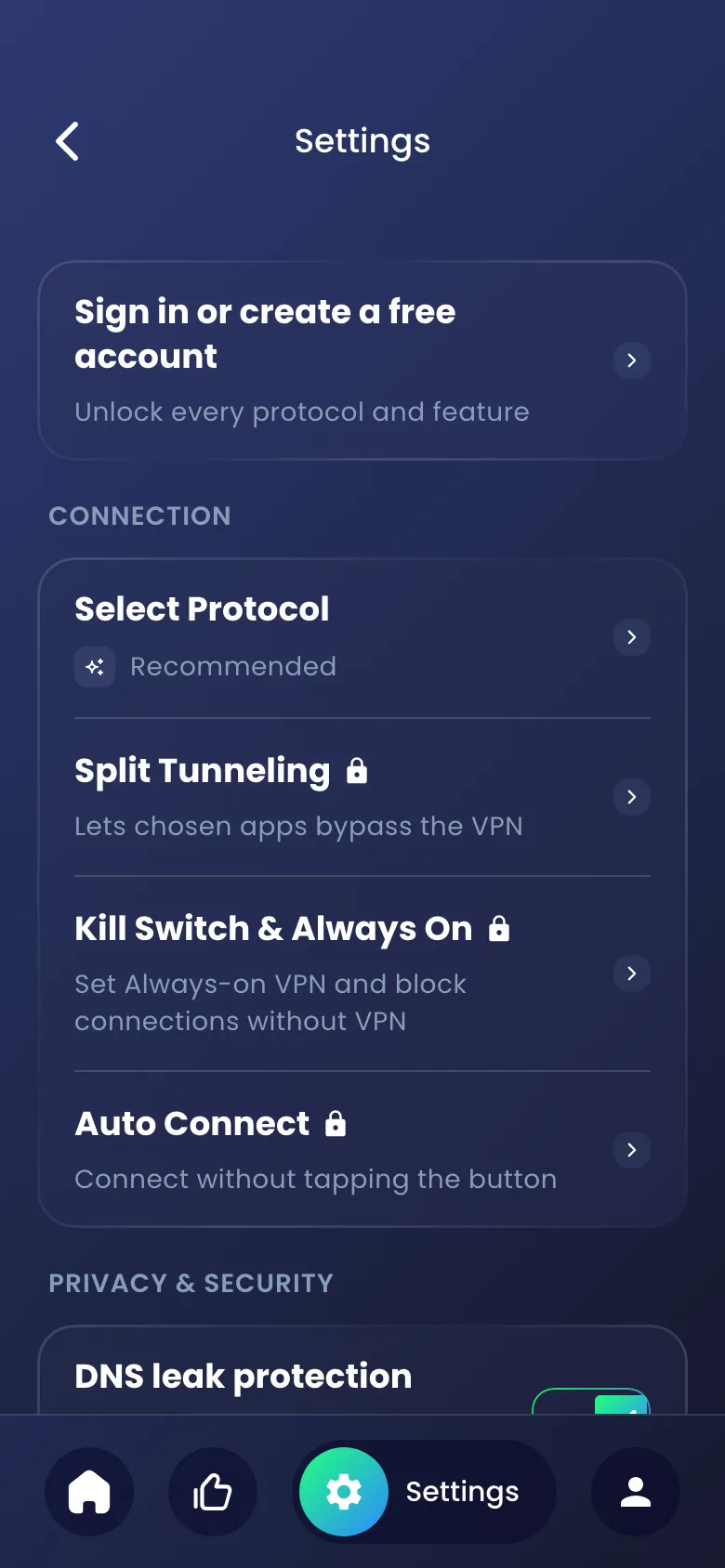
Split tunneling lets chosen apps skip the VPN and use your normal connection, while everything else stays in the encrypted tunnel. In Tunnexa you pick those apps from a list of what's installed on your phone, and change your mind any time. Split Tunneling is free with a Tunnexa account.
Normally every app on your phone goes through the tunnel. Split tunneling makes a short list of exceptions.
Apps on the list connect as if the VPN were off: from your real IP address, over your own Wi-Fi or mobile data. Everything not on the list keeps going through Tunnexa, encrypted, from the server's address.
Keep the list short. These are the cases where it earns its place.
Some banking apps refuse sign-ins from VPN addresses. Add yours to Split Tunneling and it signs in over your normal connection, while the rest of your phone stays in the tunnel.
Location-based apps can show the server's city instead of yours. Let Maps use your own connection and the results make sense again.
A VPN adds a little distance. If one game suffers, exclude it and keep everything else protected.
When a VPN helps gaming →On hotel Wi-Fi, keep the bank app on your normal connection and send the rest through the tunnel.
More VPN tips for travel →Split Tunneling needs a free Tunnexa account. Guests see a lock next to it in Settings.
It's in the Connection group, right under Select Protocol.
The switch at the top turns the exception list on or off without losing your picks.
The app moves up to These apps bypass the VPN. Tap × to send it back into the tunnel.
Your choices apply from the next connection, so disconnect and tap connect again.

An app outside the tunnel is an app without the VPN. Only add the ones that need it.
They use your real IP address, and the network you're on can see where they connect. Most bank apps encrypt their own traffic, but the VPN adds nothing for them.
You can't send one site outside the tunnel. Your whole browser is either in or out.
Most built-in system apps don't appear in the list, and Tunnexa itself isn't on it.
Split Tunneling switches off for guests, so nothing is left outside the tunnel by accident.
Want the apps inside the tunnel to stay there even if the connection drops? Pair Split Tunneling with Kill Switch & Always On.
The first time you open Tunnexa, you can tap Skip and connect as a guest, or sign in. Guests get the free servers and DNS leak protection. Split Tunneling needs a free account, which takes an email code, or one tap with Google or Apple. No card, no trial.
Still unsure? Write to us at support@tunnexa.com.
Split tunneling is a VPN feature that sends some apps through the encrypted tunnel and lets others use your normal connection. In Tunnexa, you choose the apps that bypass the VPN, and everything else stays protected.
In Tunnexa, sign in for free, open Settings › Split Tunneling and switch it on. Then tap Select Apps and the + next to each app. Reconnect to apply your choices.
Some banking apps block sign-ins from VPN server addresses. Add the bank app to Split Tunneling and it uses your normal connection, while the rest of your phone stays on the VPN.
It's as safe as the apps you exclude. Those apps lose the VPN's protection, so keep the list short and add only apps that need it.
Yes, with a free account. Sign in with an email code, Google or Apple. Guests, who tapped Skip, connect with every app inside the tunnel.